Claude Duet isn't available outside the US yet. So I built my own, as a photographer
On 21 October Anthropic introduced Claude Duet, an assistant that doesn’t wait for your questions: every morning it sends you a brief, it keeps an eye on your apps during the day and it messages you only when something needs you. Anthropic says they built it “for professionals and small business owners with more on their plates than they can track”.
Reading the announcement made me smile. That sentence describes my job pretty well. And four days earlier I had started building something very similar for myself.
There’s a catch, though: if you live outside the United States, you can’t use Duet yet. It’s a research preview for US users only, with a waitlist, and there’s no date for Europe. So let me show you my version instead. It’s called Iris, and for a week now it has been following me through weddings, shoots for businesses and restaurants, video work and invoices here in Italy.
What Claude Duet is, in short
Duet is an app by Anthropic, the company behind Claude. From their official pages:
- Every morning it sends a brief with the important things from your email, calendar and connected apps.
- During the day it watches those apps and messages you only when something needs your attention.
- It prepares work on its own, like draft replies, but before it sends a message, makes a payment, signs a document or deletes anything, it shows you exactly what it’s about to do and waits for your approval.
- It runs on Claude Opus 5.5, on its own computer in the cloud, so it keeps working when you close the app.
- It’s included in Claude’s Pro and Max plans, but only in the US and only if you’re admitted from the waitlist.
Anthropic itself says it’s an early version: it may misread a thread or get wrong what’s urgent.
Why a photographer needs one
If you work on your own, you know this: shooting is the best part of the job, and the shortest. Everything else sits around it. Charging batteries and clearing cards, checking the weather before an outdoor shoot, offloading and backing up as soon as you get home, sending the quote, remembering who still has to pay and for how long.
I used to handle all of this with a mix of calendar, to-do lists, spreadsheets and memory. It works, until the week with three shoots and a wedding comes along. That’s when something slips, almost always the boring part.
Iris, my homemade Duet
Iris is an app on my phone that looks like a chat. It works even when I’m not looking at it: it reads my calendar, my email, my money spreadsheets and my tasks, and every now and then it asks itself a question: is there something Manuel should know right now?
I didn’t write it line by line. I’m not a programmer: Claude Code, Anthropic’s coding assistant, wrote it while I explained what I needed and tested the result. In one week that meant more than two hundred changes, and I later redesigned the look of the app taking inspiration from Duet’s own screenshots.
Here’s a typical day, with real screenshots. Iris speaks Italian, like me, so I’ll translate what matters. Client names are made up; everything else is exactly what Iris sends me.
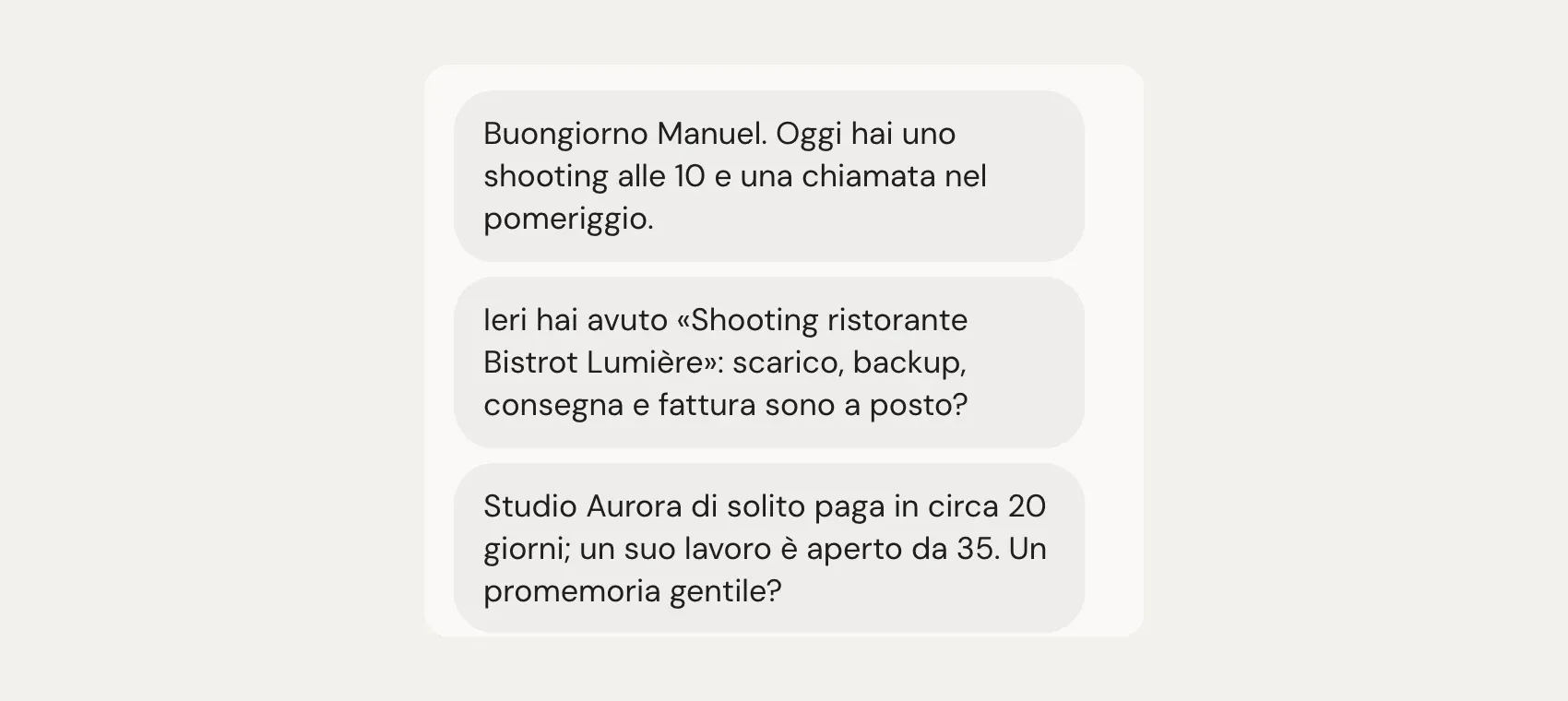
The 7:30 brief
The day starts with a single message: what I have today and, at most, three things to sort out. Everything else arrives silently, without notifications.
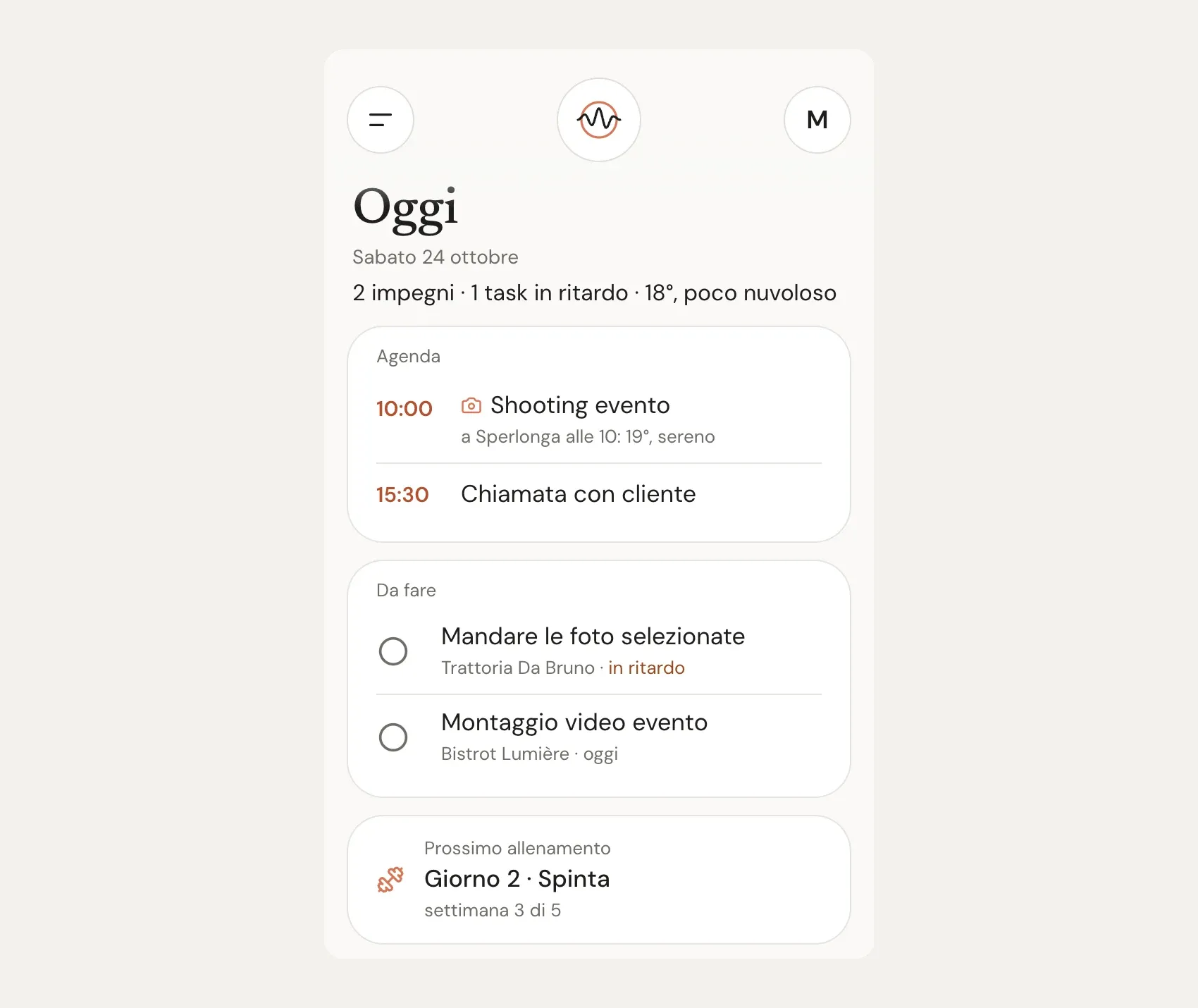
The same things live in the Today page, in order: a one-line summary with the weather, the schedule, overdue and today’s tasks (I close them by tapping the circle) and my next workout, which matters to me almost as much as work.
A shoot in the calendar becomes a task on its own
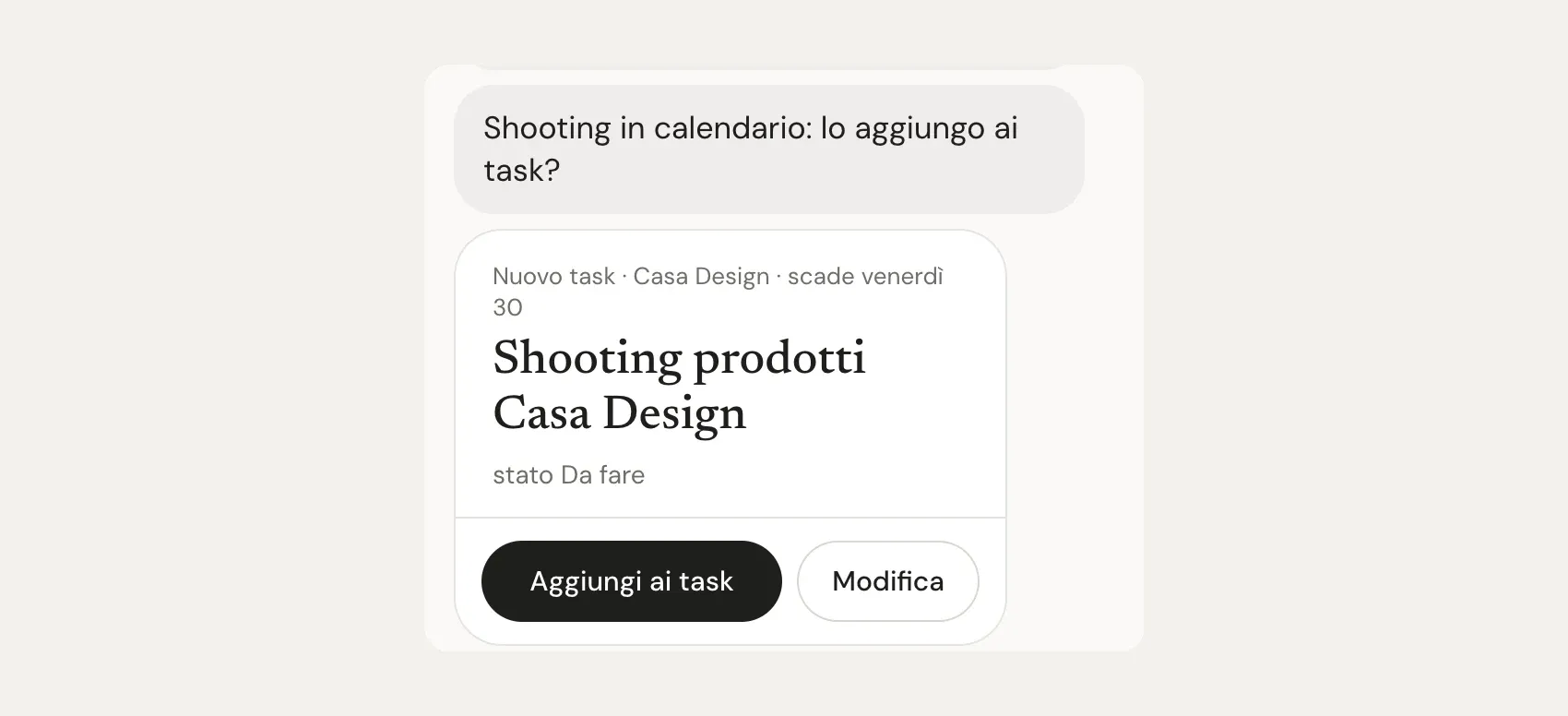
When a client confirms a date, I put it in the calendar first. What I often forgot was the rest: the task to plan it, the delivery deadline.
Now Iris checks the calendar for the next fourteen days. If it finds a shoot without a matching task, it suggests one, already filled in (“Shooting in calendario: lo aggiungo ai task?”, “Shoot in your calendar: shall I add it to your tasks?”). I tap “Add to tasks” and it’s on my list.
The night before: the camera bag
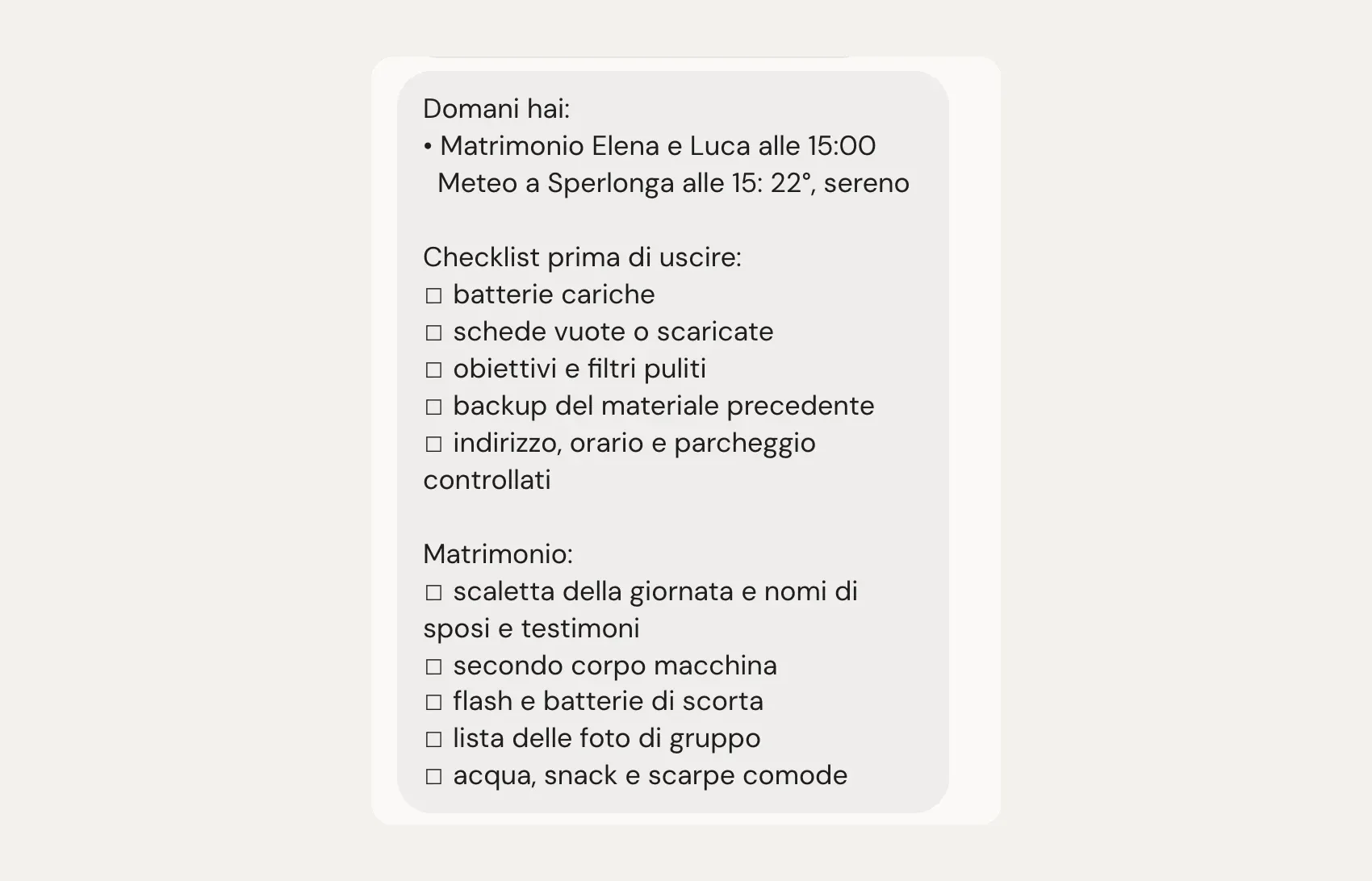
This is the feature I use most. The evening before a shoot Iris sends me the checklist for my bag, with the weather for the right place at the right time.
And it’s not always the same list. It recognises the kind of job from the event title: for a wedding it adds the second body and the list of group photos, for a live-streamed event cables and microphones, and if the title says “drone” the drone batteries, spare propellers and flight permissions. I wrote the lists myself and I change them in the app whenever I notice something missing.
One hour before
An hour before I leave, one last message: where I need to be, at what time, and what the weather will be like there at that moment. If rain or strong wind is coming, Iris tells me, with a tip for the gear or the drone.

The day after: offload, backup, editing
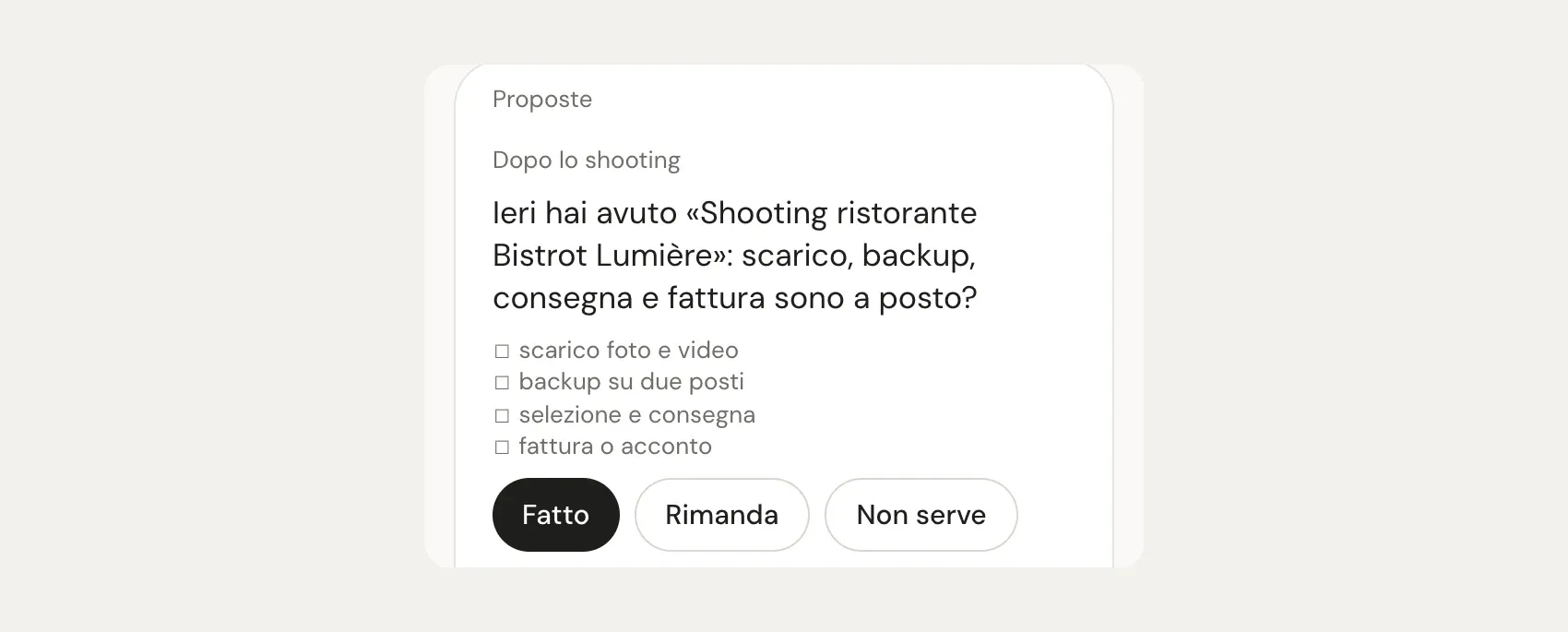
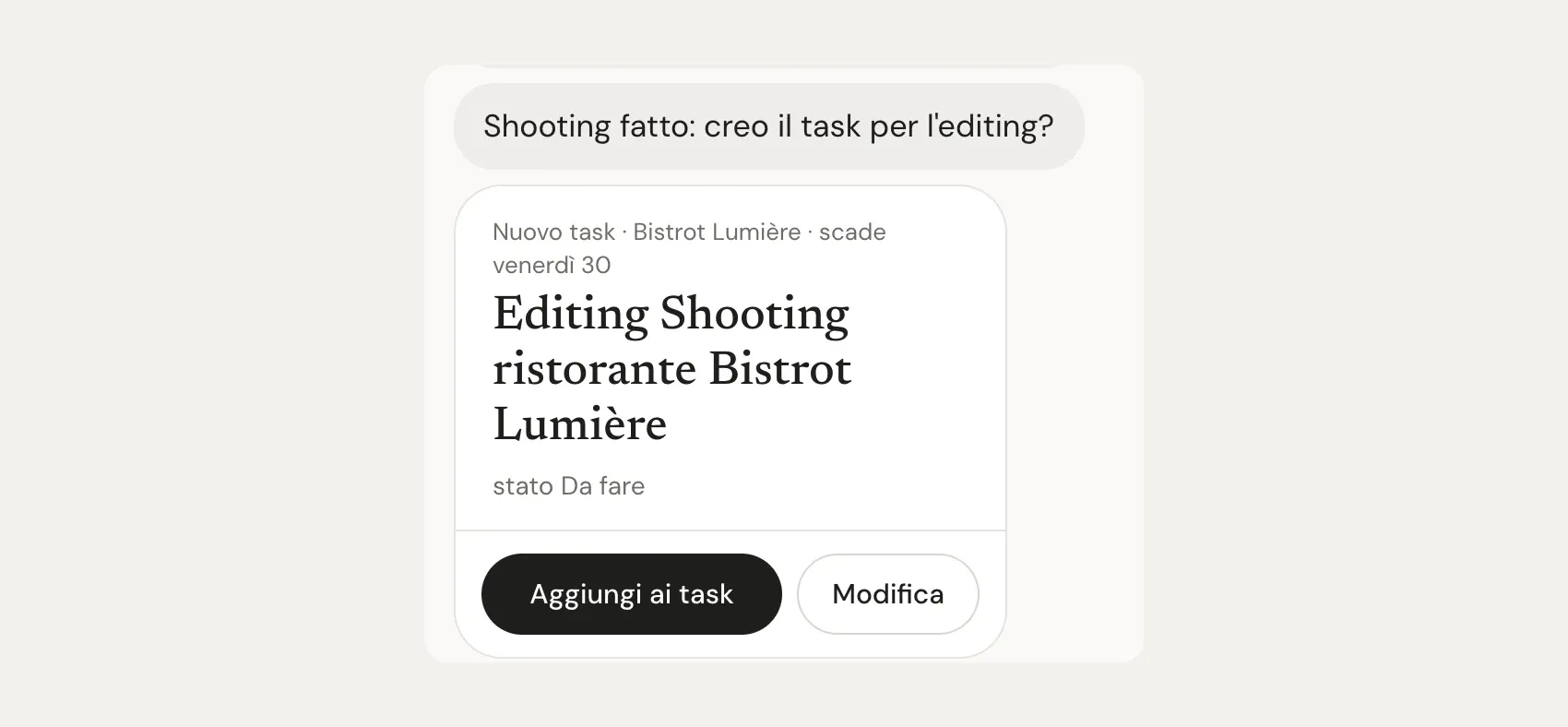
The day after the shoot, the morning brief includes what to do once you’re back: offload, backup in two places, delivery, invoice. And in the chat Iris suggests the editing task, due in a week.
Who still owes me money
The least romantic part, and maybe the most useful. Iris reads my jobs and payments spreadsheet and knows each client’s habits: some pay within a week, some within a month. When a job stays unpaid longer than usual, it tells me. With one tap it writes a polite reminder for me to send, or I mark the payment as received.

It’s not about blaming the client, it’s a reminder for me. I used to notice at the end of the month, looking at my bank account.
The quote, priced from my own history
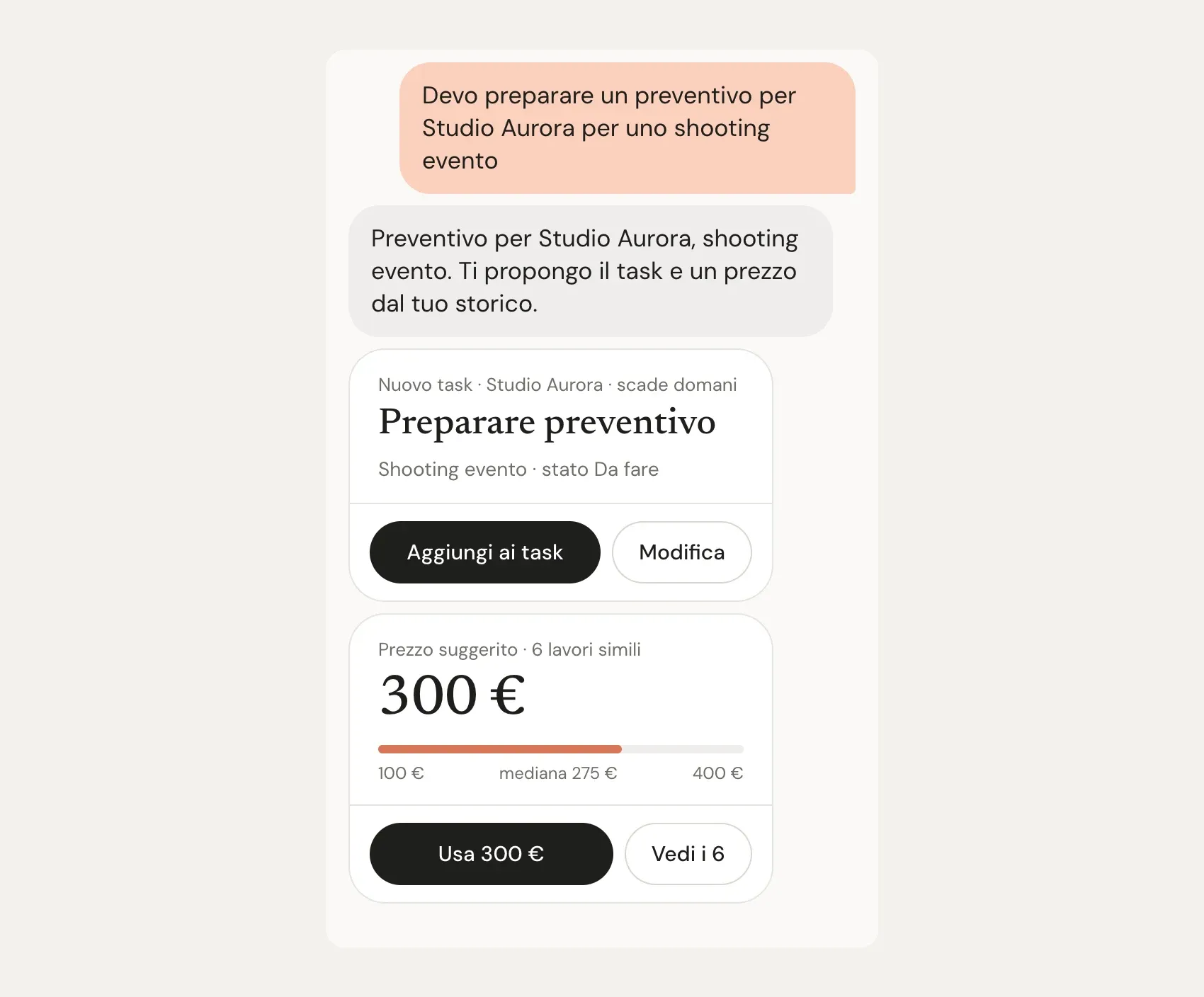
My favourite moment. I write the way I talk, “I need to prepare a quote for an event shoot”, and Iris sets up the task with its deadline and suggests a price.
The price isn’t made up: it comes from similar jobs I did over the past years, with a range and the number of jobs it’s based on. If I pick a different figure, it remembers for next time. When I ask, it also prepares the quote document in my own layout, and the PDF goes into the client’s folder.
Iris and Duet: what they share and what they don’t
They share the idea: an assistant that works in the background and messages you first. Beyond that, they’re two different things.
- Availability. Duet is an Anthropic product, US-only for now. Iris is my personal project: only I use it, and it’s not for sale.
- Made to measure. Duet connects to many different apps and fits many jobs. Iris knows only what I need: my money spreadsheets, my checklists, the way I write quotes. It’s less flexible, but I never have to explain anything to it.
- Similar rules. Iris also acts on its own and tells me what it did, with an undo button. But it never sends an email or a message to a client without my tap, never deletes anything for good and never touches real money.
- No guessing with numbers. Money, prices and dates aren’t decided by the AI: Iris calculates them with fixed rules on my own data, so nothing gets invented.
What it doesn’t do (and shouldn’t)
Iris isn’t perfect, and that’s worth saying. Sometimes it misunderstands a sentence and asks me to clarify. Some morning suggestions are obvious, and for those there’s a “Not needed” button it learns from. And it needs someone who built it and keeps it running: it’s not an app you download and set up in five minutes.
Then there are things I deliberately don’t let it do. It doesn’t talk to clients for me. It doesn’t pick photos, edit them or decide how to tell the story of a wedding: that’s still my job, and it’s the reason I do this work in the first place.
So, is it worth it?
For me, yes. Not because it does impossible things, but because it remembers the boring stuff for me and tells me at the right moment. The batteries, the rain, the backup, the client who hasn’t paid yet. My head stays free for the part that matters: the pictures.
When Duet comes to Europe I’ll definitely try it, and I’ll update this article with a proper comparison.
If you’re a photographer or videographer and an assistant like this sounds interesting, or you’re curious how it’s made, get in touch: I’m happy to talk about it. And if you’re planning a wedding or a shoot in Rome or Lazio, here’s my work.
Sources
- Introducing Claude Duet, Anthropic’s announcement of 21 October 2026: who it’s for, what it does, limits.
- Get started with Claude Duet, the official guide: availability, plans, approvals, model. Both read on 24 October 2026: it’s a preview, so details may change.
Written by Manuel Rossi, photographer and videographer in Rome and Latina, Italy:weddings, photos for businesses and restaurantsand personal projects.