I tried LightCraft, the free Lightroom clone written by AI
Over the past few days lots of people sent it my way, photographer friends and enthusiasts alike: there’s a new free program that looks exactly like Lightroom. Same panels, same sliders, same shortcuts. It’s called LightCraft, and the curious part is that it wasn’t written by a team of developers, but by an artificial intelligence.
I spend my days in Lightroom Classic, between weddings and shoots for restaurants and businesses. So the question came straight away: can I stop paying for the subscription? To find out, I downloaded it and opened my own photos in it. Here’s how it went.
What LightCraft is, in a nutshell
It’s one of the seven programs in ArtCraft, a suite that rebuilds Adobe’s apps from scratch: there’s a Photoshop look-alike, a Premiere one, an Illustrator one. LightCraft is the Lightroom look-alike, modelled on the modern version rather than Classic.
What you need to know:
- It’s free and open source: the code is public.
- It runs on Mac, Windows and Linux, and in the browser too.
- It was written by AI. The developer, Brandon Thomas, says he used Anthropic’s Claude Opus 5.5 to rebuild everything from scratch, without touching Adobe’s code.
So it’s not a “cracked” Lightroom: it’s a new program that looks a lot like it. And it’s very young: the project page was created on 30 September 2026 and the authors themselves call it an alpha, which means it isn’t even at the beta stage yet.
Is it vibe coding?
Largely, yes. If you’ve never heard the term: vibe coding means programming by telling the AI in plain words what you want, and letting it write the code. ArtCraft was born that way, and plenty of outlets described it as “the Adobe suite rebuilt with vibe coding”.
Thomas is keen to point out one thing, though: he’s not someone who improvised, he has been programming for about ten years in the very language used for the project. To me that’s the most interesting part of the story. It’s not the AI doing everything on its own, it’s someone who knows what they’re doing using AI to do in a few weeks what would have taken years.
My test: LightCraft vs Lightroom on Sony RAW files
I took six shots from Barcelona, made with a Sony A7 IV and a Samyang 35mm AF. I imported them into both programs and exported them twice: first as they open, then with one of my presets. I didn’t choose the preset that best suits those photos: I deliberately picked one that pushes the highlights hard, to see where the two programs start to behave differently.
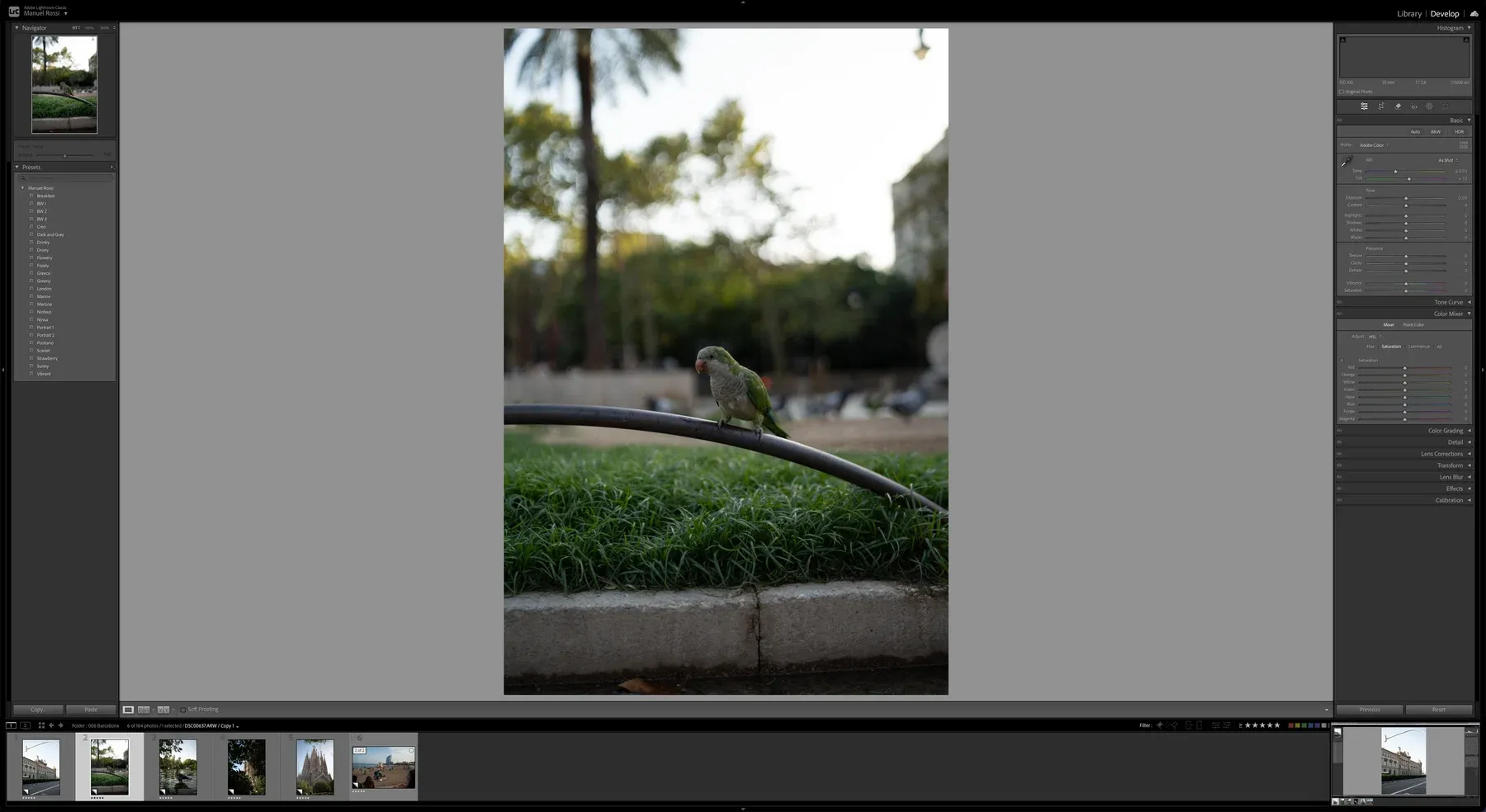
Here’s how they look with the same photo open. First my Lightroom Classic:
And this is LightCraft, with my presets already imported in the right-hand column:
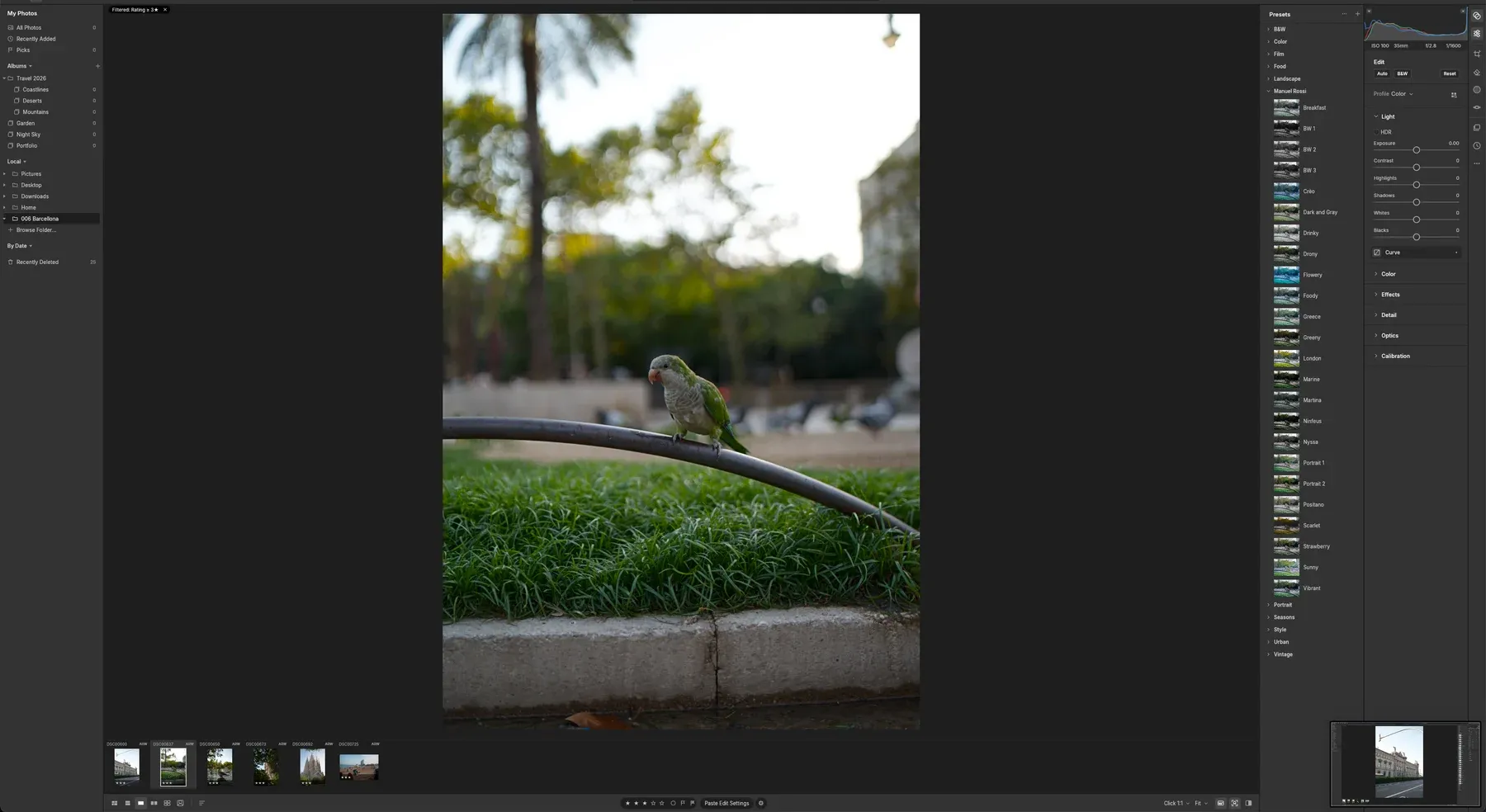
The two windows aren’t identical, and there’s a reason: I use Lightroom Classic, while LightCraft copies the other, newer version of Lightroom. I’ve always preferred Classic for a number of features the other one lacks, and that Adobe doesn’t seem keen to add. I hope to see them one day in LightCraft: that would be a good reason to try it again.
In the comparisons below, Lightroom is on the left and LightCraft on the right. Drag the line to move from one to the other.
No edits: similar, but a little washed out
Straight out of the box, the photos look quite alike: same brightness, same colours. Put them side by side, though, and LightCraft’s are slightly washed out.
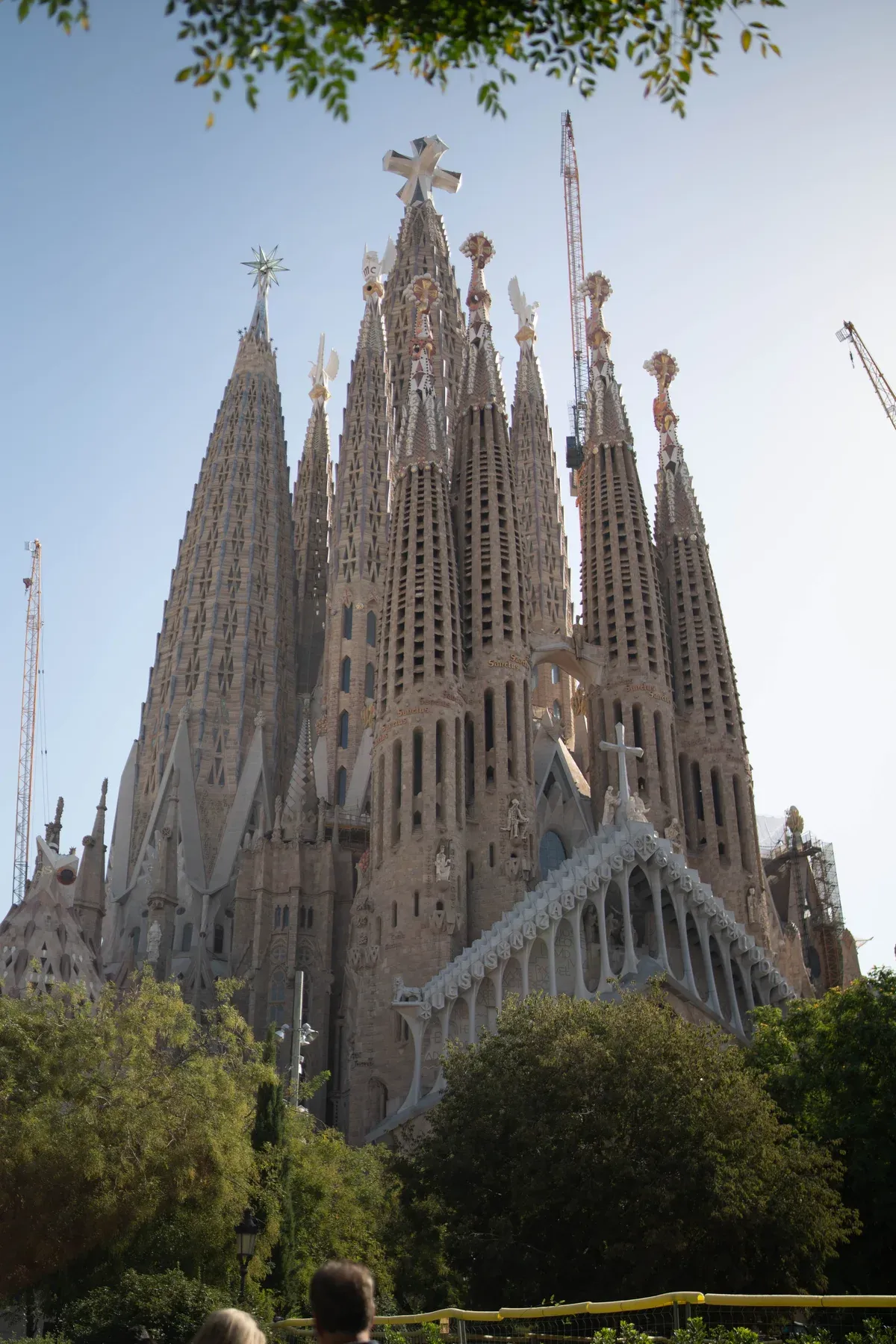
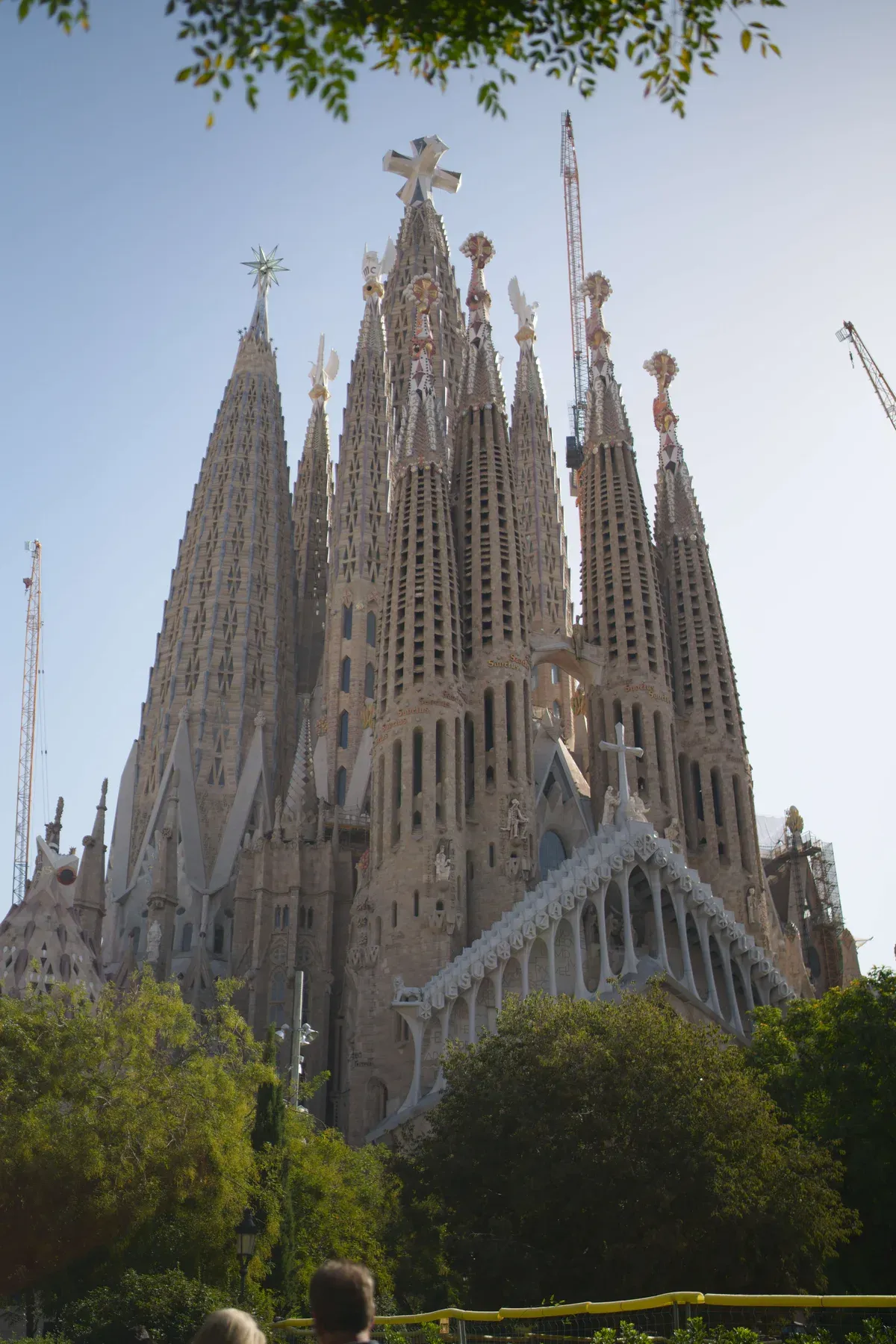
It’s down to the blacks: Lightroom takes them all the way down, LightCraft leaves them lighter. The colours are all there, but with less contrast the photo loses depth.
I have to say I expected worse, and the explanation is in the project documentation. The A7 IV is one of only four cameras LightCraft already has a built-in colour profile for. That profile, however, isn’t measured on a calibrated colour chart like Adobe’s: it’s derived from the camera’s JPEGs. The developers say it plainly: the colour is “estimated, not measured”, and RAW shooters get colour close to Lightroom’s, but not the same. With another camera your results may differ.
Highlights and shadows: where they part ways
The difference shows at the extremes.
- Highlights. In a bright sky LightCraft clips sooner: in the photo below the white area with no detail left is larger than in Lightroom.
- Shadows. Lightroom reaches full black, LightCraft stops earlier and the dark areas stay lighter.
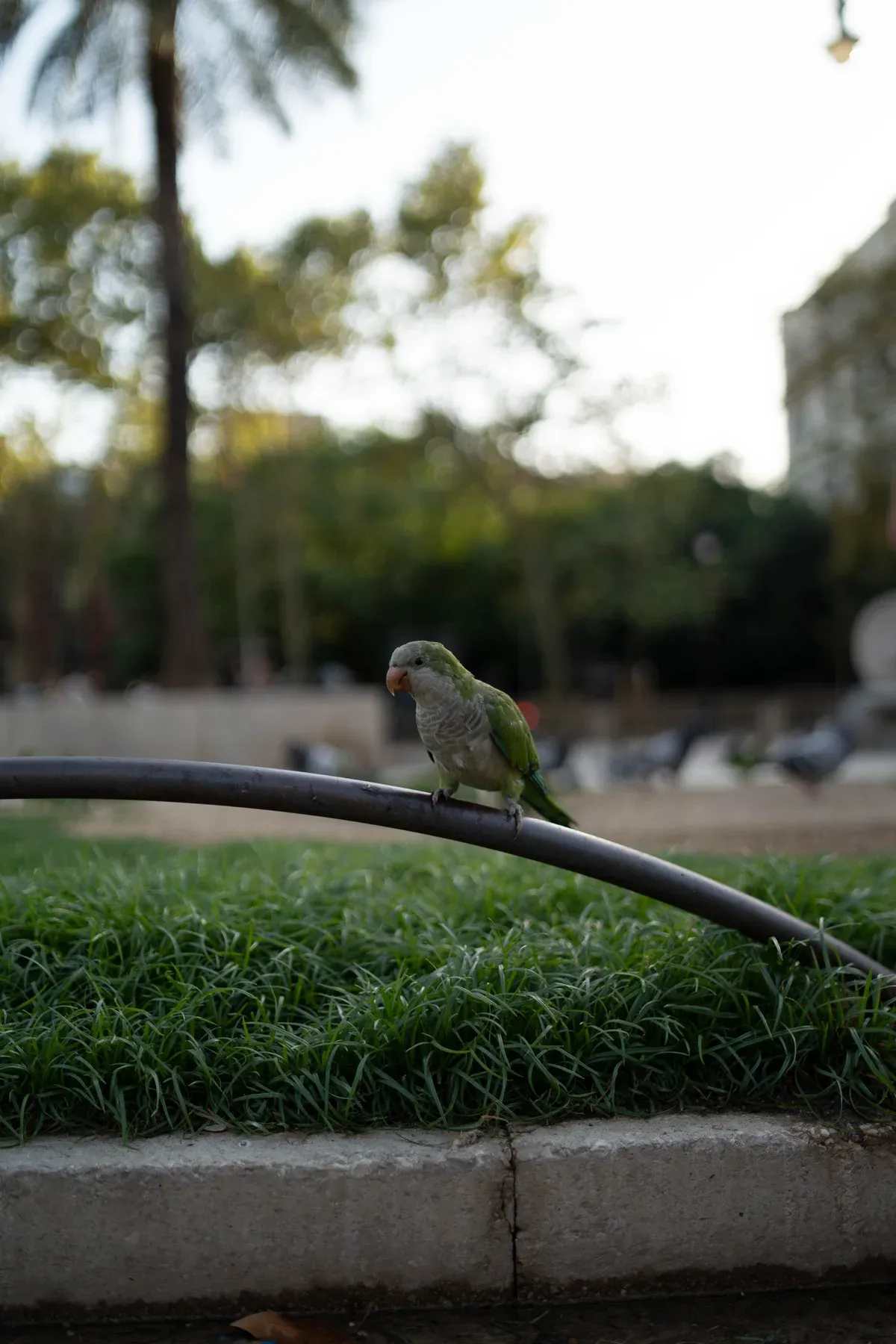
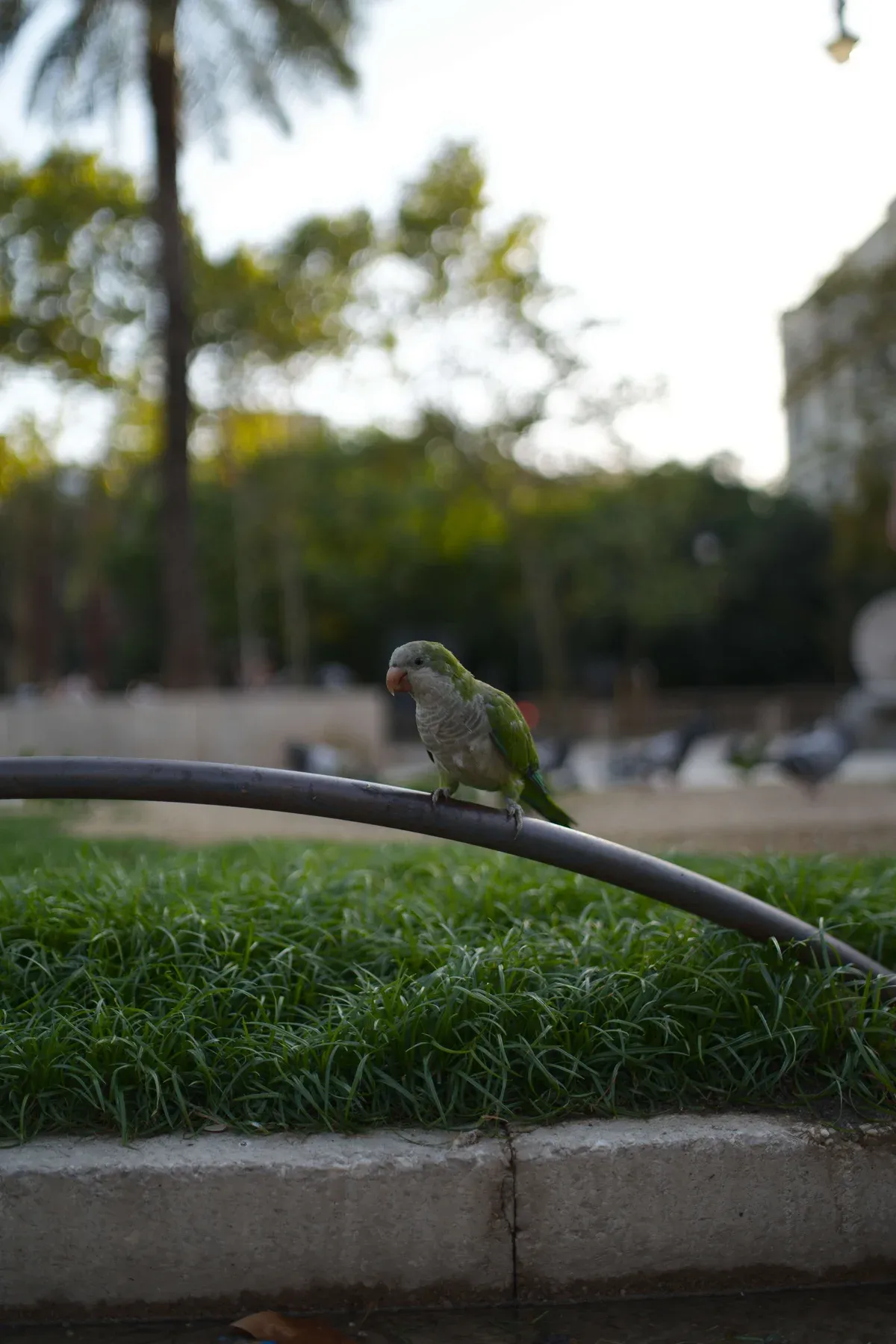
Here too the documentation confirms what I saw: tone and highlights, the developers write, are tuned by eye for now, without a systematic comparison against Lightroom.
On a well-exposed photo you barely notice. At a wedding, with a white dress in full sun or inside a dark church, you notice all right.
With my preset: same sliders, different result
The preset imports without problems and the sliders land on the same values. The photo that comes out, however, isn’t the same.
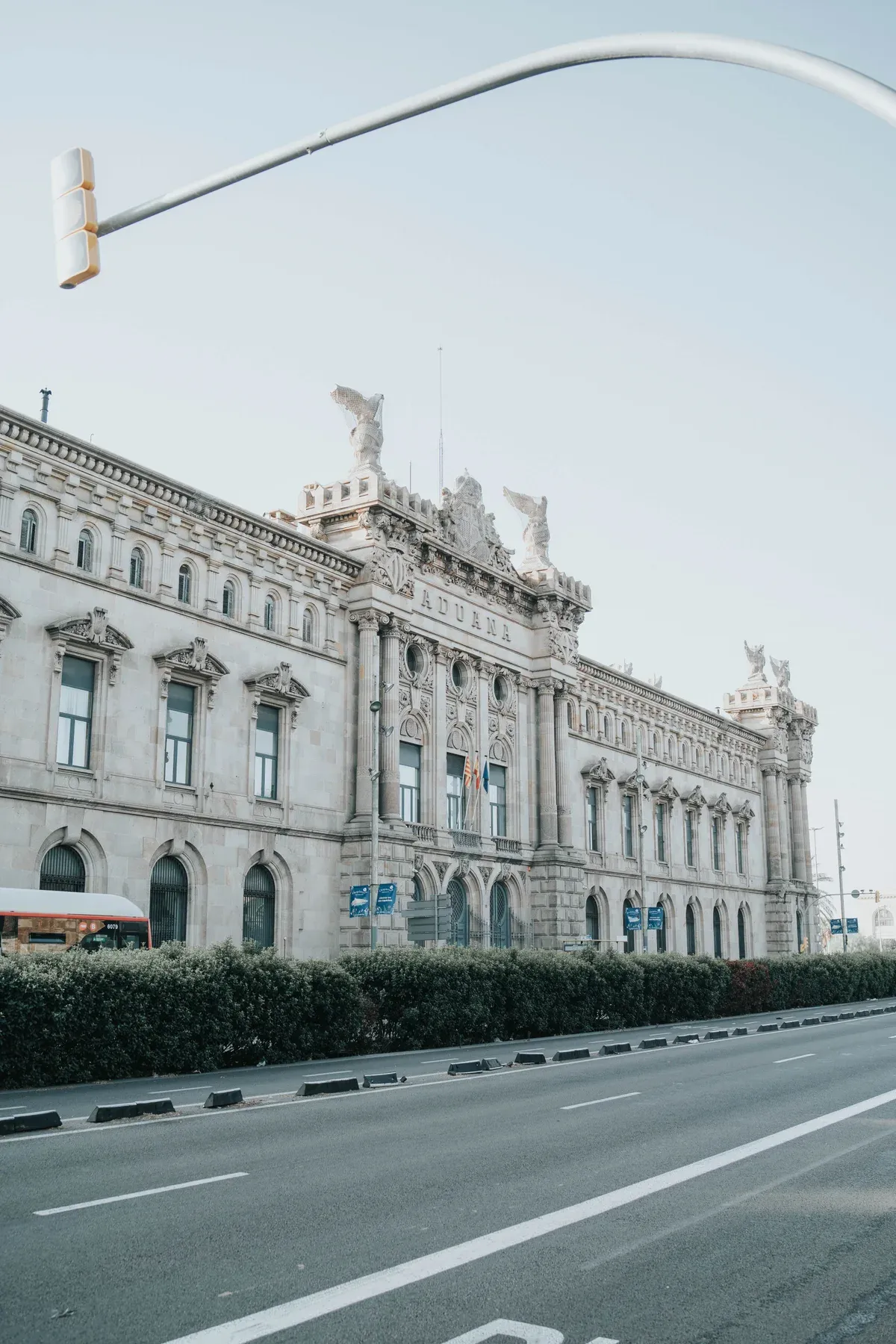
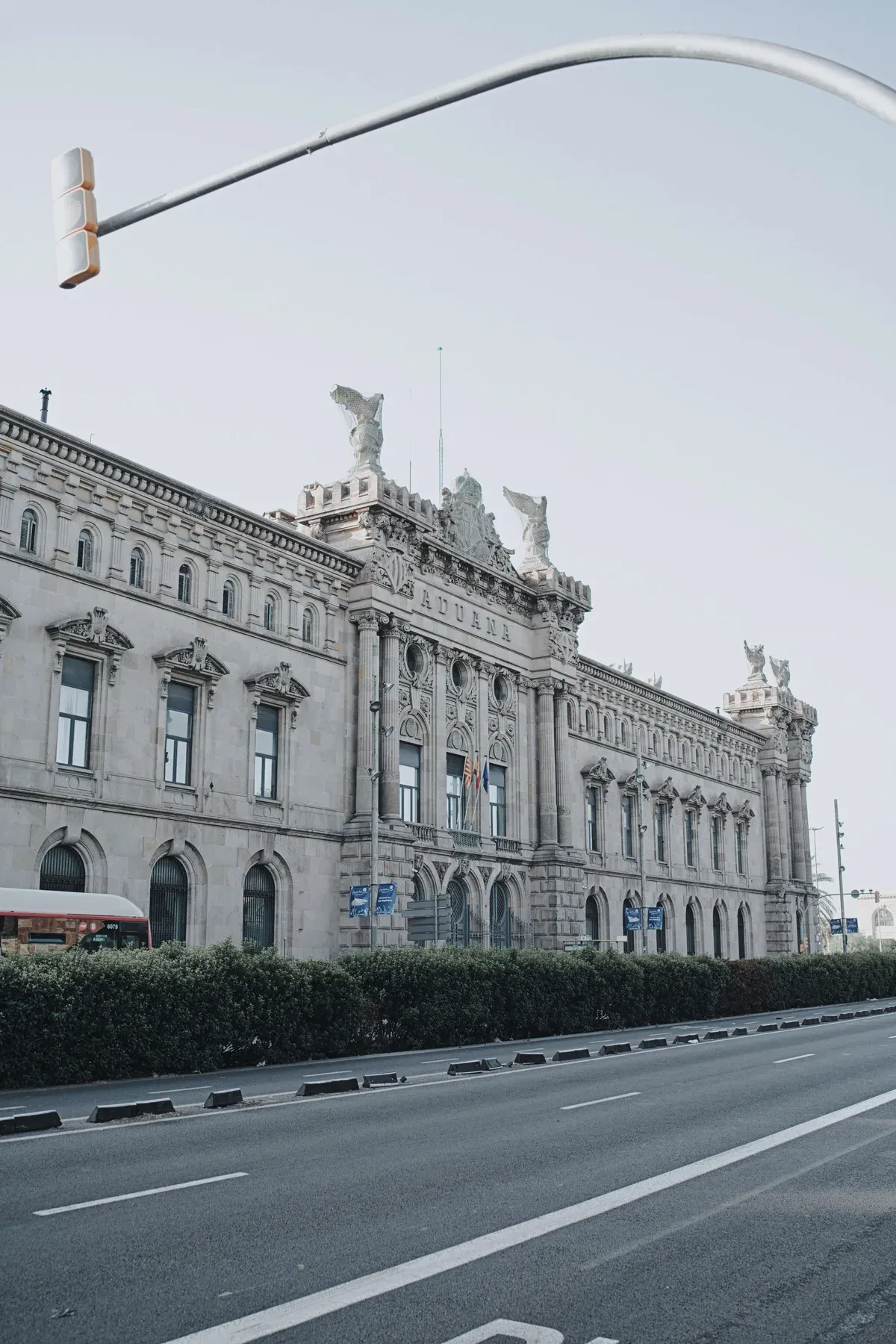
On bright photos Lightroom gives me a lighter, punchier image. LightCraft stays darker and leans towards blue.
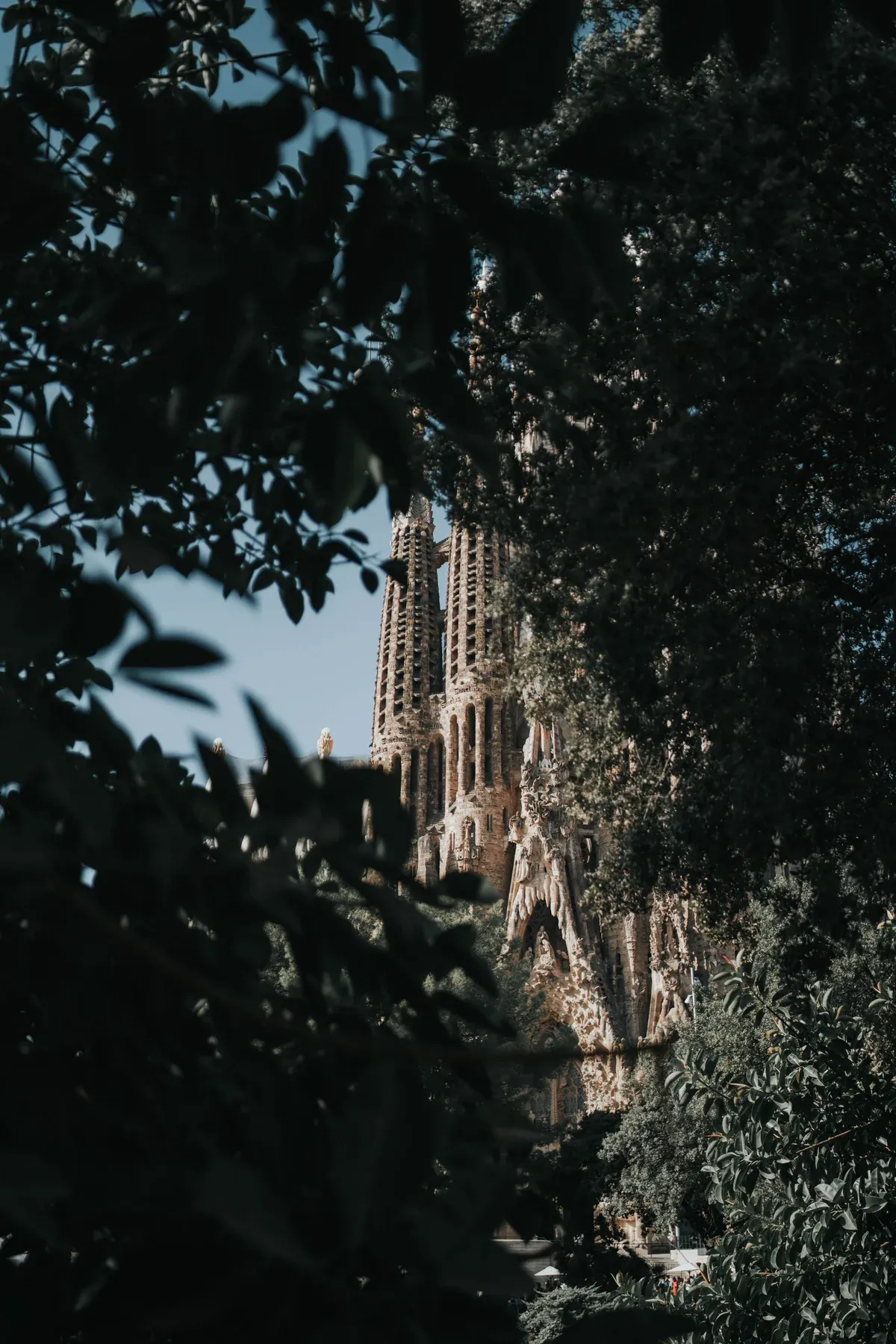
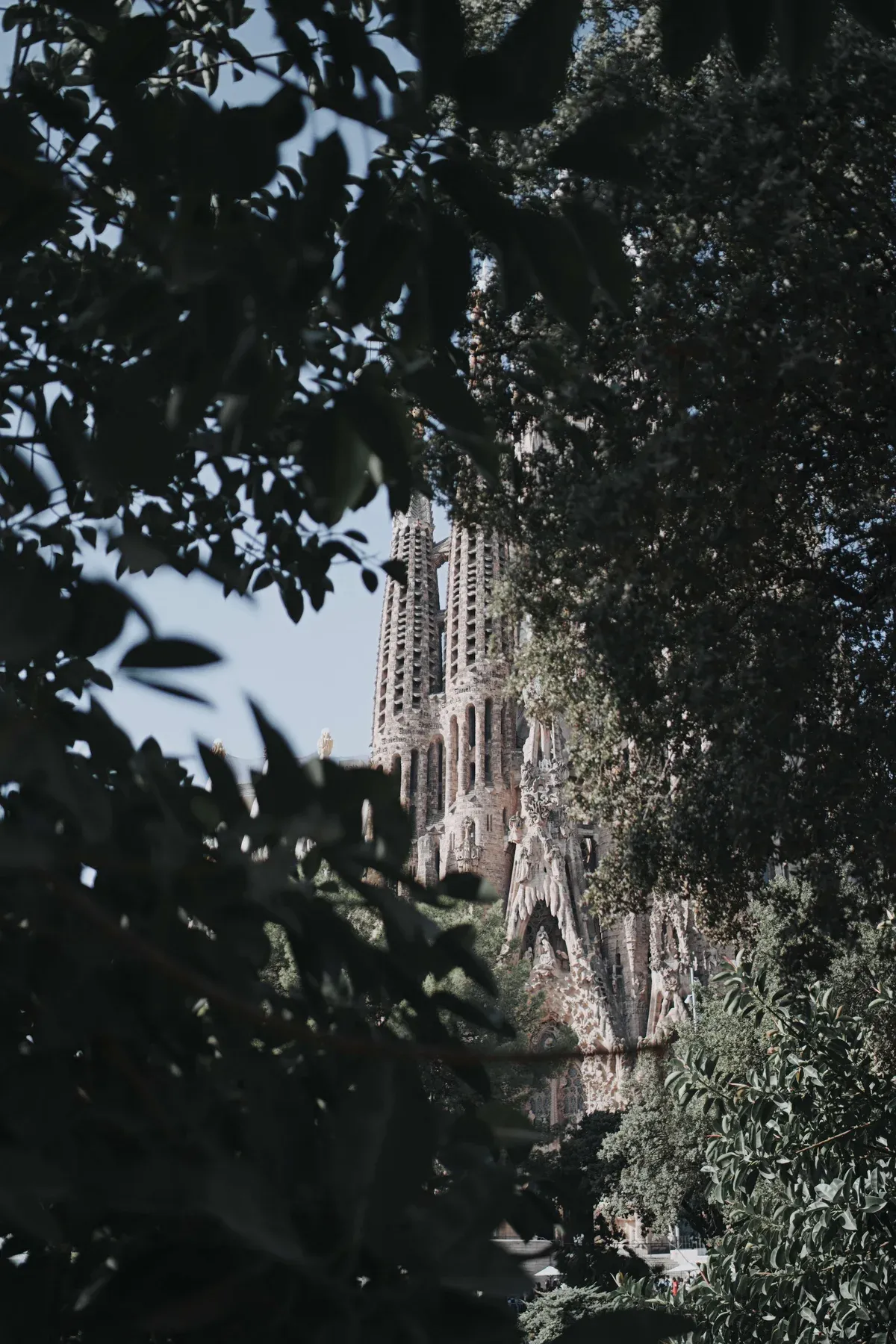
On the dark photo the opposite happens: in Lightroom the blacks stay deep and green is green, in LightCraft everything lifts and turns grey, almost hazy.
It’s not something that only happened to me: among the gaps listed by the developers, it says precisely that edits imported from Lightroom look different, because the sliders don’t have the same strength.
For me this is the deciding point. Presets are the foundation of my style: I can bring them into LightCraft, but I’d have to redo them by eye, one by one.
What it’s like to work with
The first thing you notice is that it opens instantly. No waiting: you click and it’s ready.
The second is less pleasant. While you adjust a photo, the preview seems to be at a lower resolution: the image is less sharp than what you see in Lightroom, and judging sharpness and detail becomes hard. In the exported file, though, the difference isn’t visible.
Automatic masks are there, but they’re not as precise as Lightroom’s: they select the sky or the subject more roughly, and then you have to fix them by hand.
Exporting takes about as long as in Lightroom, but the options are still very few.
What I liked
- It really is just like Lightroom. Nothing to learn: Light, Colour, Effects, Detail and Optics are where you expect them.
- It opens instantly and it’s lightweight.
- The library is there: albums, stars, flags, keywords, virtual copies, history.
- It reads Lightroom presets, with the limits you’ve seen above.
- Masks are there: brush, linear and radial gradients, plus automatic sky and subject masks, even if less precise.
What’s still missing
- Colour profiles. Adobe has them for about 1,500 cameras, LightCraft has four built in. For the others it estimates colour from the JPEG embedded in the file and, when it can’t, uses a neutral rendering.
- Precise automatic masks. They exist, but they’re not as accurate as Lightroom’s, which follow the subject’s edges in one click. Indeed, the project page says that sky and subject selection still uses traditional methods, not AI.
- Real AI features. In the table published by the developers, AI noise reduction and AI-based masks are still in progress; AI upscaling hasn’t even started.
- Full RAW support. Some formats, such as certain Canon and Olympus files, can’t be read yet: in that case you only see the JPEG preview embedded in the file.
- Lens profiles: there aren’t any yet, so distortion and vignetting have to be corrected by hand.
- A proper export.
They don’t hide it themselves: on the project page they estimate they cover about 49% of what a working photographer needs, and about 64% for basic use.
Who LightCraft is for today
- If you shoot for fun, use Lightroom to organise your photos and make a few adjustments, and the subscription bothers you: try it, it costs you nothing.
- If you use Linux, where Lightroom doesn’t exist.
- If photography is your job: no. And the reason, more than the missing features, is fidelity.
The real limit is fidelity
Above all, I need a program that’s faithful. Faithful to the file: highlights and shadows must be what the camera recorded. And faithful to my style: the same preset must give the same result today, in a month and on a thousand photos in a row.
LightCraft isn’t there yet. It starts close to Lightroom, but as soon as you work on the highlights or apply a preset it goes its own way. When you have to deliver a job, or keep every photo of a wedding consistent, that matters more than any feature list.
Is LightCraft legal? And where do you download it?
As far as I know, Adobe hasn’t taken a position yet. On the project page the developers state they rewrote everything from scratch, without using any Adobe code. It’s still a project walking a fine line: I wouldn’t take for granted that it will still exist as it is in a year, and I wouldn’t trust it with my archive.
A practical tip: unofficial sites offering it are already around. Download it only from getartcraft.com or from the project page on GitHub.
Lightroom alternatives without a subscription
If the subscription is the problem, LightCraft isn’t the only way:
- RapidRAW, also free and open source.
- Photomator, by Apple, only for Mac, iPhone and iPad.
- Capture One and DxO PhotoLab, paid, for those who want the very best in colour and noise reduction.
- darktable, free and complete, but with an interface you’ll have to learn from scratch.
So, am I using it?
No, not yet. LightCraft impressed me: it’s striking to see that in a few weeks an AI rebuilt the look of a program Adobe has been developing for almost twenty years. But the look is the easy part. Highlight rendering, mask precision, preset consistency are years of work, and that’s where the gap shows.
For working photographers who shoot a lot, I think Lightroom Classic is still unbeatable, especially for its AI features. Masks that really follow the subject, noise reduction, distraction removal: that’s where I save hours of work, and that’s where LightCraft doesn’t reach today.
I’ll keep an eye on it, though. I’ll try it again in a few months and update this article.
Sources
- LightCraft, official project page: all the data about the program, read on 12 October 2026. The project changes almost daily, so some of it may already be out of date.
- Digital Trends and PetaPixel: the developer’s statements on the use of AI.
Written by Manuel Rossi, photographer and videographer in Rome and Latina, Italy:weddings, photos for businesses and restaurantsand personal projects.